

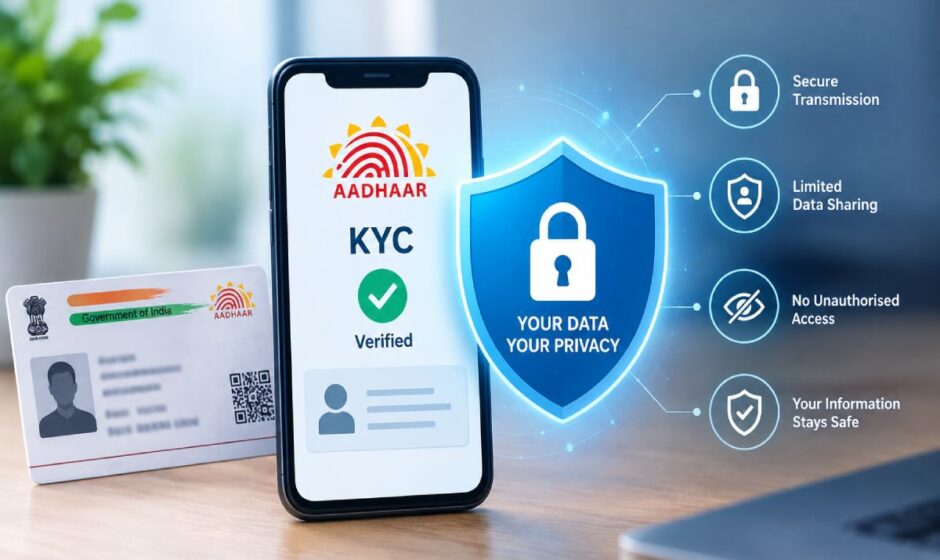

Somewhere in the photo gallery of most Indian phones sits a picture of an Aadhaar card. Over the years it has been sent to a landlord, a new employer, a SIM card shop, a broadband company, a couple of fintech apps and perhaps a stranger on WhatsApp who said it was needed “for verification”. Every one of those copies still exists somewhere. Very few people could say where.
Know Your Customer checks are a normal part of digital life now. Banks, brokers, wallets, insurers, telecom companies and a long list of online services ask for proof of identity before they let you in. The useful question is rarely whether to complete KYC. It is how to do it without scattering a complete identity kit across the internet.
Why So Many Services Ask for ID
There are broadly two groups of services that ask.
The first is regulated businesses such as banks, payment wallets, lenders, brokers and insurers. They carry formal KYC obligations under anti-money-laundering rules and can’t skip identity checks even if they wanted to.
The second is everyone else. These services ask for ID for practical reasons: to prevent fraud, to confirm a user is an adult, to make sure payouts go to an account in the right name, or to resolve disputes later.
Both are legitimate in principle. The difference between reasonable verification and careless data collection usually comes down to two things. Can the service tell you why it needs a document, and can it tell you what happens to that document afterwards?
What a Reasonable KYC Request Looks Like
A sensible verification process tends to share a few features:
- One government photo ID. Aadhaar is common, but PAN, a passport, a driving licence or a voter ID are often accepted too.
- Sometimes a selfie or a short live video, to match your face to the document.
- A name check against the bank or UPI account you will use.
- Address proof, but only where the service actually needs it.
- A privacy policy that explains what is stored, for how long and why.
- A named grievance contact you can reach if something goes wrong.
It also happens through the service’s own website or app, reached by typing the address yourself or opening the official app, not through a link that arrived in a message.
What No Genuine KYC Process Needs
This list is short, and it doesn’t bend:
- An OTP read out on a call or typed into a chat. Where Aadhaar-based OTP verification is used, it happens inside the service’s own app or website, in a flow you started, not in a conversation with a person.
- Your UPI PIN, net banking password or card CVV. Verifying who you are has nothing to do with any of these.
- Remote screen-sharing apps installed “so the team can help with verification”.
- A fee to complete KYC. Genuine verification is not something you pay a stranger for.
- Documents sent to a personal WhatsApp number that doesn’t appear anywhere on the service’s official website.
- Photos of both sides of your debit or credit card.
If any of these turn up, the process is not KYC. It is an attempt to get into your accounts.
What a Genuine Video KYC Call Looks Like
Video verification has become common, especially for bank accounts, wallets and investment platforms. Because scammers now imitate it, it helps to know what the real thing involves.
A genuine video KYC session is started from inside the service’s own app or website, usually at a time you choose. The agent may ask you to hold your PAN card or another original document up to the camera, confirm your name and date of birth, read out a random code to show the call is live, and allow location access. Some sessions also capture a still photo of your face.
What the agent will not do is ask you to read out an OTP, show the back of your bank card, open your banking app on camera, or move the call to a personal WhatsApp video chat. A video call that starts with an unexpected phone call or a link in a message is not verification, however official the background looks.
Tools UIDAI Already Gives You
Many people don’t realise how much control the Aadhaar system already offers. Each of these tools is free.
Masked Aadhaar
A masked Aadhaar hides the first eight digits of your number and shows only the last four. You can download it from the myAadhaar portal. Plenty of services accept it for identity purposes where they don’t specifically need the full number, and a masked copy is far less useful to anyone who gets hold of it.
Virtual ID
A Virtual ID, or VID, is a 16-digit temporary number linked to your Aadhaar. It can be used in place of the Aadhaar number for authentication and e-KYC where a service supports it. You can generate a new VID whenever you like, and generating a new one cancels the old one, so a VID shared last year stops being useful once you replace it.
Offline e-KYC
Aadhaar Paperless Offline e-KYC lets you download a digitally signed file from UIDAI, protected by a share code that you choose. You give the service the file and the code, and it can verify your details without calling on UIDAI’s systems each time. You decide when the file is created and who receives it.
Biometric lock
Through the myAadhaar portal or the mAadhaar app, you can lock your biometrics so fingerprints and iris data cannot be used for authentication. When you genuinely need them, for instance at a bank branch, you can unlock temporarily and the lock returns afterwards.
Authentication history
The myAadhaar portal also shows where and when your Aadhaar has been used for authentication over recent months. Checking it occasionally takes two minutes. Unfamiliar entries are worth reporting straight away.
Making Photocopies Less Useful to Anyone Else
Sometimes a physical or scanned copy is unavoidable. A few habits limit the damage if that copy ends up somewhere it shouldn’t:
- Write the purpose across the copy. Something like “Submitted to [company name] for KYC only, [date]”, placed so it crosses the document without hiding the photo or name. A copy marked for one purpose is much harder to reuse for another.
- Prefer uploads to chat. Documents sent over messaging apps end up in backups, forwarded threads and other people’s galleries. An upload through an official portal goes to one place.
- Clean up afterwards. Delete document photos from your downloads folder, chat media and cloud backups once the process is complete.
- Keep a simple record. A short note listing who received which document and when makes it far easier to act if something goes wrong later.
What Happens to Your Documents After Verification
Most people think of KYC as a one-time step. For the service, it is the start of a record that may be kept for years.
Regulated businesses are often required to retain customer identification records for a set period, even after an account is closed. Other services decide their own retention periods, and those should be stated in the privacy policy. Either way, the documents you upload today may still sit on a server long after you have forgotten the service exists.
That makes dormant accounts a quiet risk. An old wallet, a trading app you tried once or a sign-up from a promotion years ago may all hold a copy of your ID. Every one of those is another place your data could leak from.
A little housekeeping helps. Once or twice a year, go through the services you no longer use, close the accounts properly rather than just deleting the app, and where the law allows it, ask for your personal data to be erased. Keep the confirmation emails. If a data breach at one of those companies ever makes the news, you will know straight away whether it affects you.
A Word on India’s Data Protection Law
The Digital Personal Data Protection Act, 2023, and the rules made under it are being brought into force in phases. The broad direction is clear even while the details settle: organisations are expected to collect personal data for specific purposes, obtain meaningful consent, protect what they hold, and give individuals ways to access, correct and request deletion of their data, along with a route to raise grievances.
In practical terms, that makes it more normal to ask a service what it holds about you, why it needs it, and when it will be deleted, subject to any legal requirement to keep certain records. How the law applies to a particular situation is a question for a lawyer, but asking the question is always reasonable.
Where Gaming and Exchange Services Fit
Services that handle money for adult users often ask for ID before an account goes live. Wallets and brokers do it, and so do many online cricket ID platforms. The reasons are familiar: confirming age, making sure withdrawals reach an account in the correct name, and reducing fraud.
The same checklist applies here as anywhere else. A request through the service’s official channel for a photo ID and a name match is normal. A request for OTPs, PINs, screen access or a “KYC fee” is not. It is also worth knowing that India’s rules on real-money online gaming have changed significantly, so anyone considering a service in that category should check the current legal position first.
A Five-Question Check Before You Upload Anything
Before sending an identity document anywhere, run through these:
- Am I on the service’s official website or app, reached by typing the address or opening the app myself?
- Can the service explain why it needs this particular document?
- Would a masked Aadhaar, a Virtual ID or a different ID work instead?
- Is there a privacy policy and a grievance contact I can actually find?
- Am I being asked for money, an OTP, a PIN or access to my screen?
If the answer to the last question is yes, stop there.
If Your Documents Have Already Been Misused
Acting quickly limits the harm:
- Lock your biometrics through myAadhaar or mAadhaar.
- Check your authentication history for entries you don’t recognise.
- Pull your credit report from one of India’s credit bureaus, such as TransUnion CIBIL, Experian, Equifax or CRIF High Mark, and look for loans or cards you never applied for.
- Check mobile connections in your name through the Sanchar Saathi portal and report any you don’t own.
- Report fraud at cybercrime.gov.in or on the 1930 helpline, and contact UIDAI on 1947 for Aadhaar-specific help.
Identity documents are designed to prove who you are. The aim is to share them in a way that proves only that, to only the people who need to know, for only as long as they need it.